
Sign in with GitHub
Orbit MD 1.1 and later.
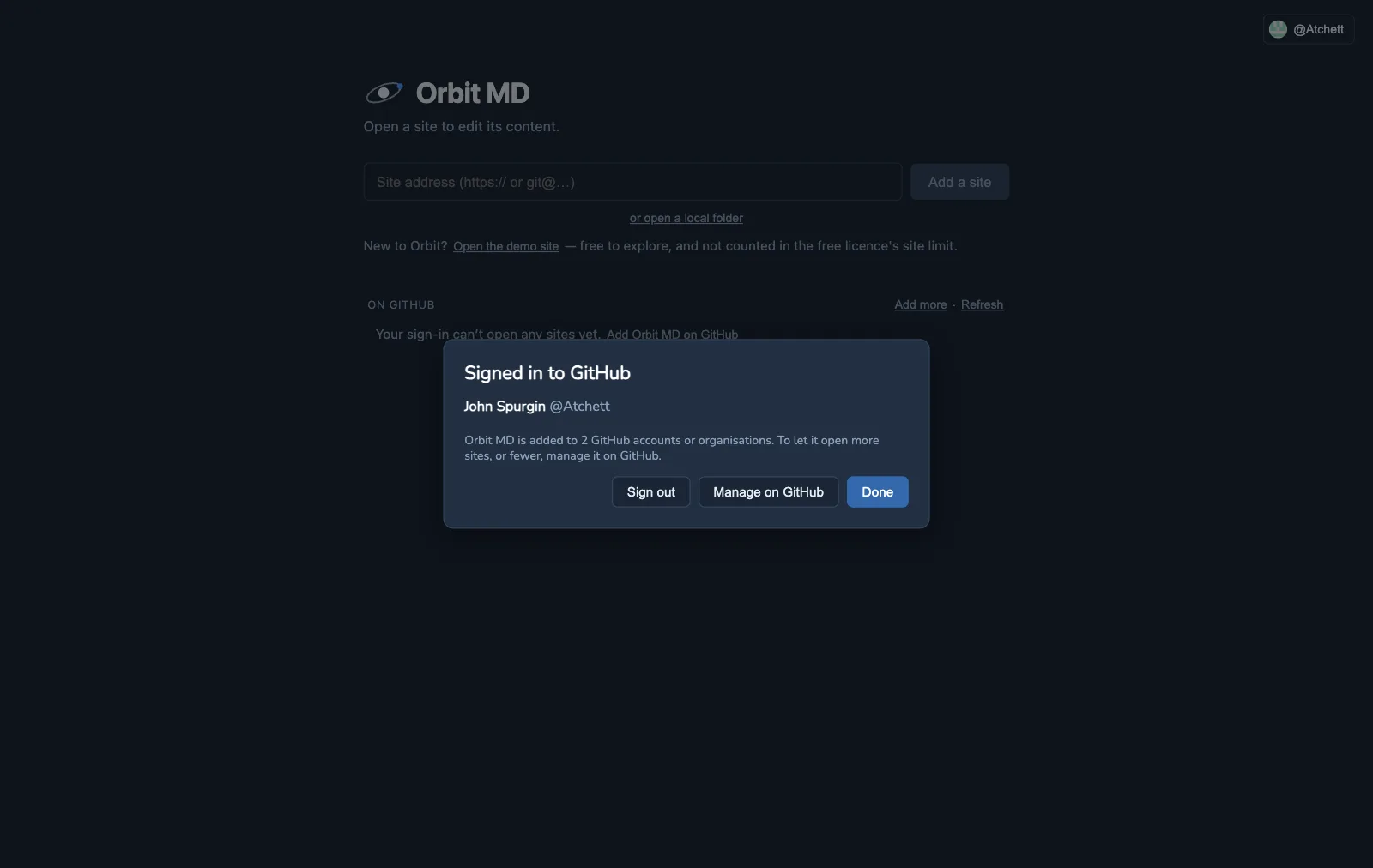
Signing in to GitHub in Orbit does two things:
- Private sites open with no other setup — no Terminal, no GitHub CLI, no SSH keys. Orbit opens, updates and publishes them with your sign-in.
- Your GitHub access decides what you can do on each site: publish, edit and ask to publish, or only look. No one sees a Publish button GitHub would refuse.
- Your edits are credited to your GitHub account — your GitHub name and its private noreply address — on every site, whoever else uses the computer. Orbit never uses the computer’s own git name and email. Not signed in? Orbit asks once for a name and email and keeps them in its own settings.
It’s free, on every plan. Nothing goes to us: Orbit talks to GitHub directly, and your sign-in stays on your computer, in its Keychain.
Signing in
Section titled “Signing in”- Click Sign in with GitHub on Orbit’s start screen (or Help ▸ GitHub Account…).
- Orbit shows a short code and the address to enter it at,
https://github.com/login/device. - Open that address in the browser that’s signed in to the GitHub account you want Orbit to use. Open in default browser does it for you; if your account is in another browser or a private window, use Copy link and paste it there.
- Enter the code and choose Authorize Orbit MD. Orbit notices within a few seconds and shows your name at the top right.
GitHub’s page says Orbit MD will “act on your behalf”. That’s GitHub’s wording for every app that works as you: your edits are saved as you, with your own access — so GitHub still decides what you can publish. Orbit can only read and change files in the sites Orbit MD has been added to. It can’t change your account, delete anything, or see other repositories.
Adding Orbit MD to your sites
Section titled “Adding Orbit MD to your sites”Orbit’s sign-in only reaches the repositories Orbit MD has been added to on GitHub — you choose which.
- Your own repositories: after signing in, Orbit offers Add Orbit MD on GitHub. Pick your account, then Only select repositories and the sites you want Orbit to edit (or All repositories).
- A company’s organisation: an organisation owner adds it the same way, for the organisation’s sites. If you aren’t an owner, GitHub’s page lets you ask them — they get a request to approve.
- Everyone with access is covered. Once Orbit MD is added to a repository, every editor with access there just signs in; they don’t add it again.
To change which sites Orbit can reach later: Help ▸ GitHub Account… ▸ Manage on GitHub. Choosing All repositories for your own account covers every current and future site without coming back.
Opening your sites
Section titled “Opening your sites”Signed in, the start screen lists the sites your sign-in can open under On GitHub — grouped by account or organisation, with a search box once the list is long. Click Open to add one (sites already under Your sites aren’t listed twice). Typing a site’s address works too. Add more opens GitHub’s page for adding Orbit MD to another account or organisation; when you’re back, Refresh lists the new sites.
While you’re signed in, a GitHub site must have Orbit MD added to be opened or edited: Orbit uses only your sign-in, and that only reaches sites Orbit MD is added to.
Who can do what
Section titled “Who can do what”When a GitHub site opens, Orbit asks GitHub what you can do there:
| GitHub says you… | In Orbit you’re… | You can |
|---|---|---|
| can push to the live branch (you’re on its bypass list, or it isn’t protected) | an approver | edit, publish, approve or send back requests |
| have Write access, but the live branch is protected | an editor | edit and save to the preview site, ask to publish |
| can only read the repository | a viewer | look at pages and their history — nothing can be changed |
The Dashboard says which you are (“You can publish on this site”). Developer tools (branches, Settings, raw details) are only offered to people with Admin or Maintain access — they’re the ones who own the site’s setup.
Orbit checks again whenever you open the site and when you Get latest. Offline, it uses the last answer.
Personal accounts have no read-only role. On a repository owned by a personal GitHub account, everyone you add as a collaborator can write. To give someone view-only access, use a repository in an organisation (where you can choose Read) — or a public repository, which anyone can read.
Signing out
Section titled “Signing out”Click your name at the top right, then Sign out. Your sites stay on the start screen — they’re copies on your computer. Ones that opened through your sign-in are marked Sign in to update until you sign in again.
Signing out removes the sign-in from this computer. To also remove Orbit MD’s access on GitHub: GitHub ▸ Settings ▸ Applications ▸ Authorized GitHub Apps ▸ Orbit MD ▸ Revoke. (Unused, the sign-in also expires on its own after six months.)
Only your sign-in, while you’re signed in
Section titled “Only your sign-in, while you’re signed in”While you’re signed in, every GitHub site — whatever its address, HTTPS or SSH — is opened, updated and published with your sign-in, and your edits are credited to your GitHub account. Orbit never mixes in another GitHub login saved on the computer, so what’s sent and who it’s credited to are always the same person. Sign out to go back to the computer’s own login.
Sites not on GitHub
Section titled “Sites not on GitHub”GitLab, Bitbucket and other hosts work as before: sign in to them on your computer once (see Install & open a site), and the View menu’s Editor / Developer view sets which buttons you see.
If something isn’t right
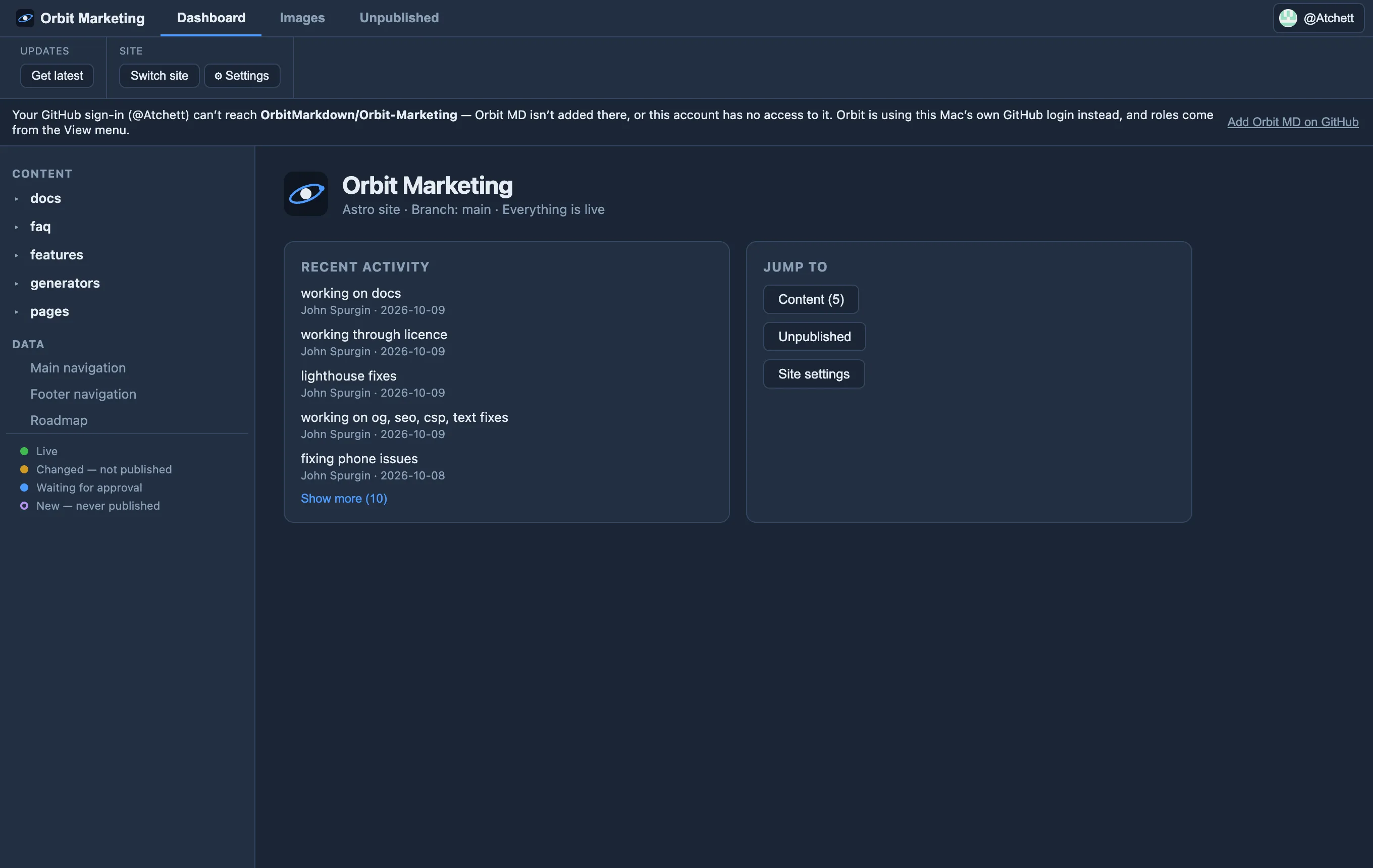
Section titled “If something isn’t right”- “Your GitHub sign-in can’t reach this site” — Orbit MD isn’t added to that repository, or the account you signed in with has no access. Add it on GitHub (or ask the owner to), or check you signed in as the right account. While you’re signed in, Orbit only ever uses your sign-in for GitHub sites — so it can’t send or get changes for that one until then. (Signed out, it uses the computer’s own GitHub login, if there is one.)
- The wrong account signed in — sign out, and enter the next code in the browser signed in to the account you want.
- Your organisation uses single sign-on (SAML) — GitHub may ask you to authorise Orbit MD for the organisation once: GitHub ▸ Settings ▸ Applications ▸ Authorized GitHub Apps ▸ Orbit MD.