
MDX components
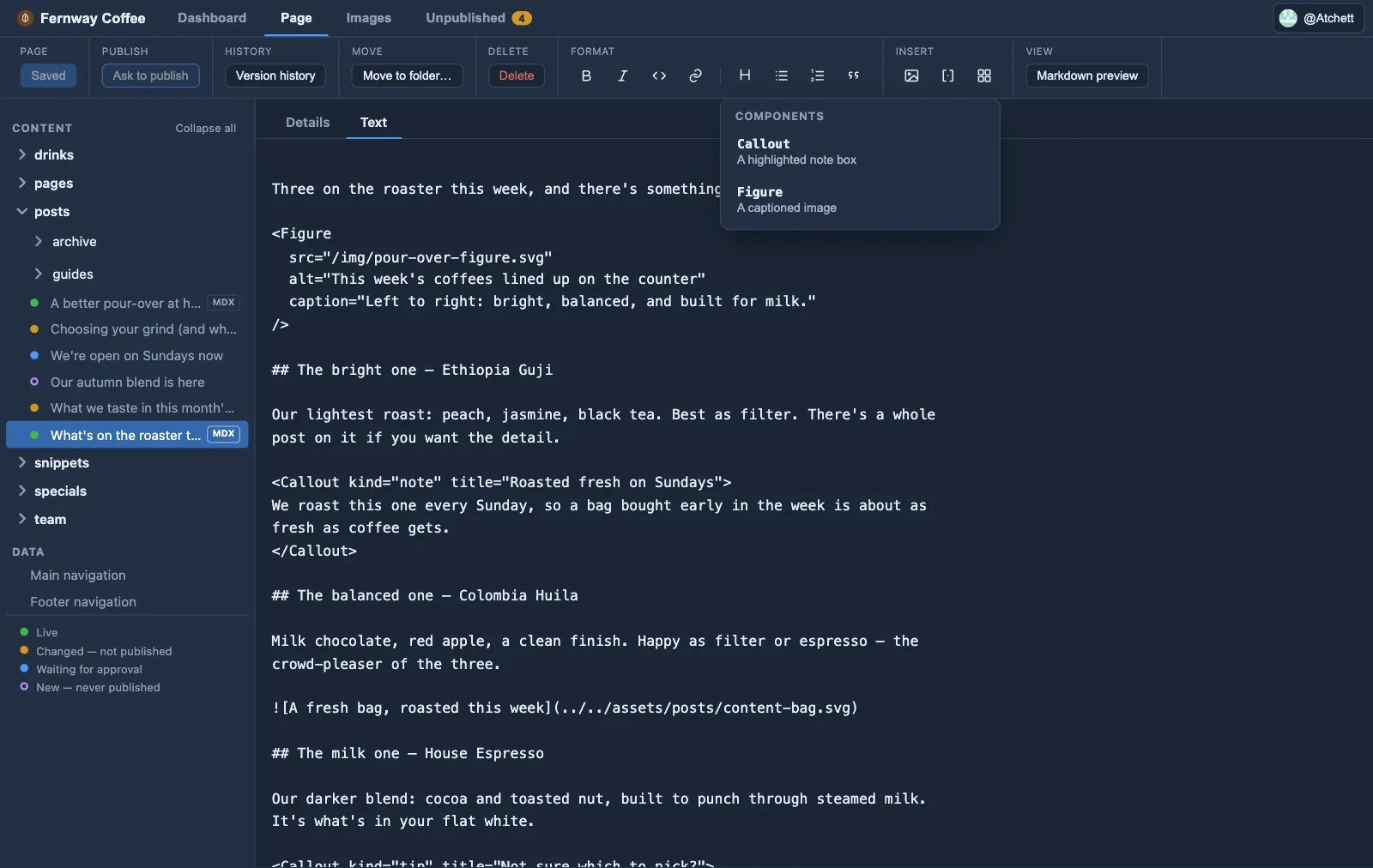
For .mdx collections, editors can insert components you declare under
components: in orbit.config.yaml — a name, optional
description, whether it wraps children, and scalar props
(string / number / boolean / enum).
Orbit builds the JSX tag from a small form and inserts it. In preview it shows a placeholder card — Orbit never runs your components; your Astro site renders the real component at build.
Components only work in .mdx files (Astro ignores JSX in plain .md), so Orbit
marks .mdx entries with a small MDX tag in the sidebar and only shows the
Insert a component toolbar button when an .mdx file is open.
Set up MDX in your Astro site (developers)
Section titled “Set up MDX in your Astro site (developers)”Components only work in .mdx pages, so this is a one-time setup on the site.
1. Add the MDX integration. From the site root:
npx astro add mdxThat installs @astrojs/mdx and registers it in astro.config.mjs. To do it by
hand: npm install @astrojs/mdx and add it to integrations:
import { defineConfig } from "astro/config";import mdx from "@astrojs/mdx";
export default defineConfig({  integrations: [mdx()],});
See Astro’s MDX integration guide.
2. Let the collection hold .mdx files. In src/content.config.ts, use a
glob loader whose pattern includes .mdx (Astro 5+):
import { defineCollection } from "astro:content";import { glob } from "astro/loaders";
const blog = defineCollection({  loader: glob({ pattern: "**/*.{md,mdx}", base: "./src/content/blog" }),  // schema: ...});
That glob is also what lets editors create .mdx pages: Orbit shows an
MDX tick box on new pages only where the pattern accepts
.mdx and @astrojs/mdx is installed (step 1). Leave .mdx out of the glob
and editors can only make plain Markdown pages there.
3. Build the component as you normally would (e.g. src/components/Callout.astro)
and import it where the page renders.
4. Declare it for editors under components: in orbit.config.yaml:
components: - name: Callout description: A highlighted note box children: true # <Callout>…</Callout> vs self-closing <Figure/> props: - { name: type, type: enum, options: [note, tip, warning], default: note } - { name: title, type: string }Declaring the catalog keeps editors to the set you support instead of typing arbitrary JSX. Only scalar props are offered in the form; the JSX Orbit inserts is plain text your build compiles.